top of page
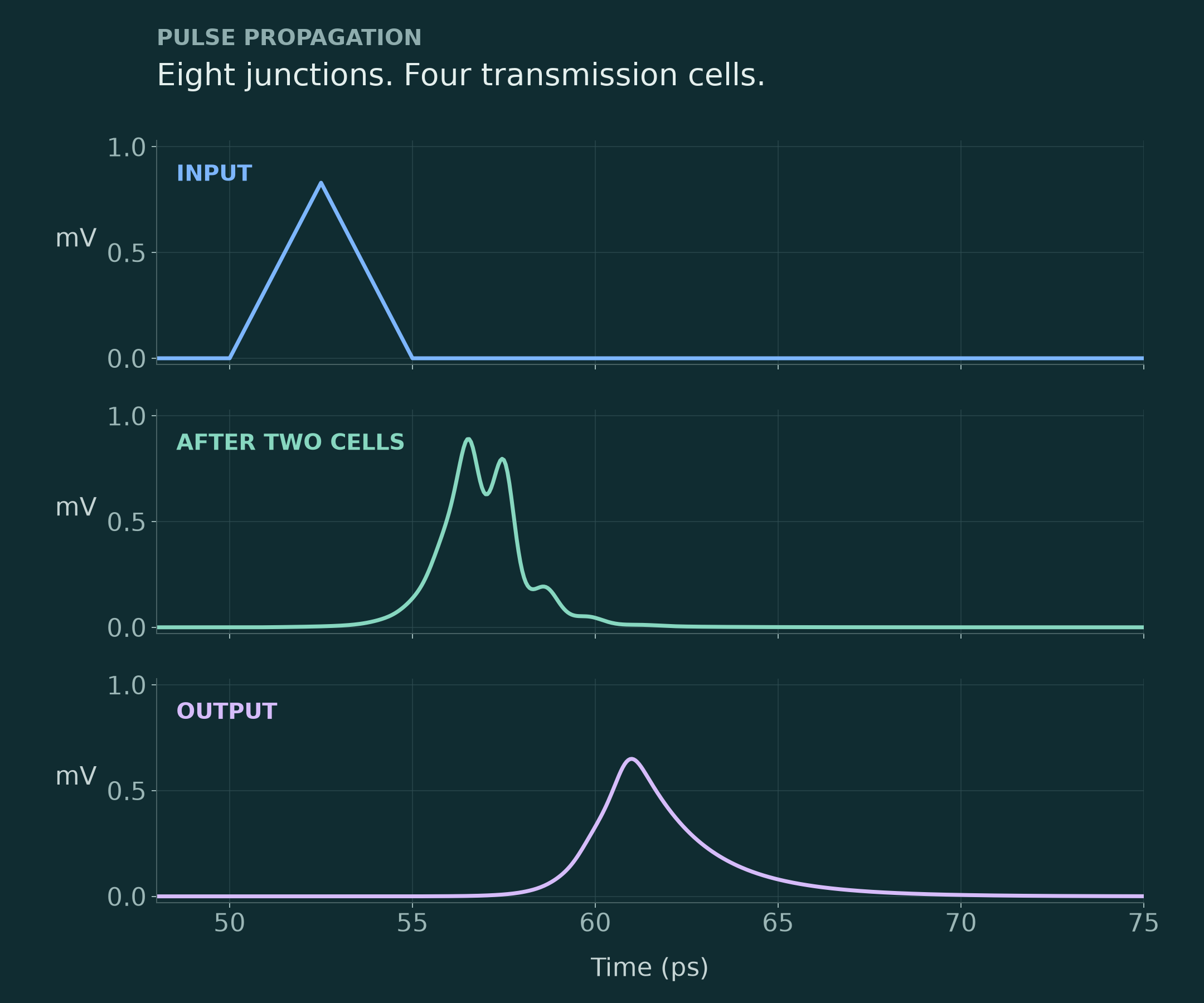
Eight-junction pulse propagation, plotted from actual JoSIM-Pro simulation data.
Voltage pulse propagating through four generic transmission cells containing eight Josephson junctions; actual JoSIM-Pro simulation data.

JoSIM-Pro · Input, midpoint and output of an original eight-junction circuit. A focused view of the first propagated pulse, plotted from actual simulation data.
Design tools for superconducting and quantum electronics.

From integrated layouts to picosecond signals. Explore extraction, superconducting-circuit simulation and specialist engineering support.

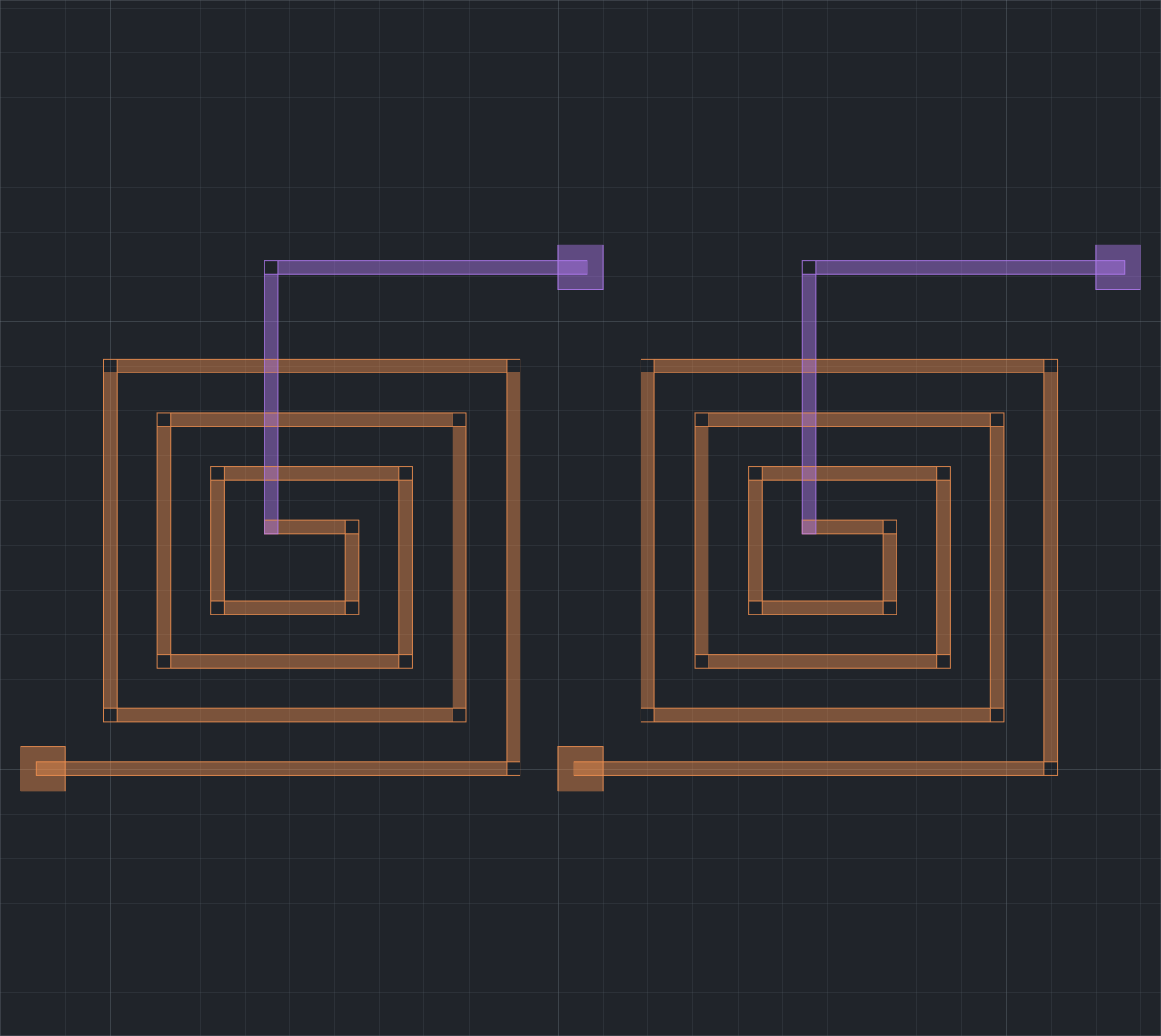
Original paired-spiral demonstration layout in the native Studio GDSII viewport, with two conductor layers.

InductEx Studio · Original illustrative two-layer paired-spiral layout, shown in the native GDSII viewport.
What does your layout do electrically?

Explore the electrical consequences of geometry: inductance, coupling and the process stack behind an integrated layout.

InductEx connects physical design to circuit parameters, with Studio for inspecting the model and its results.

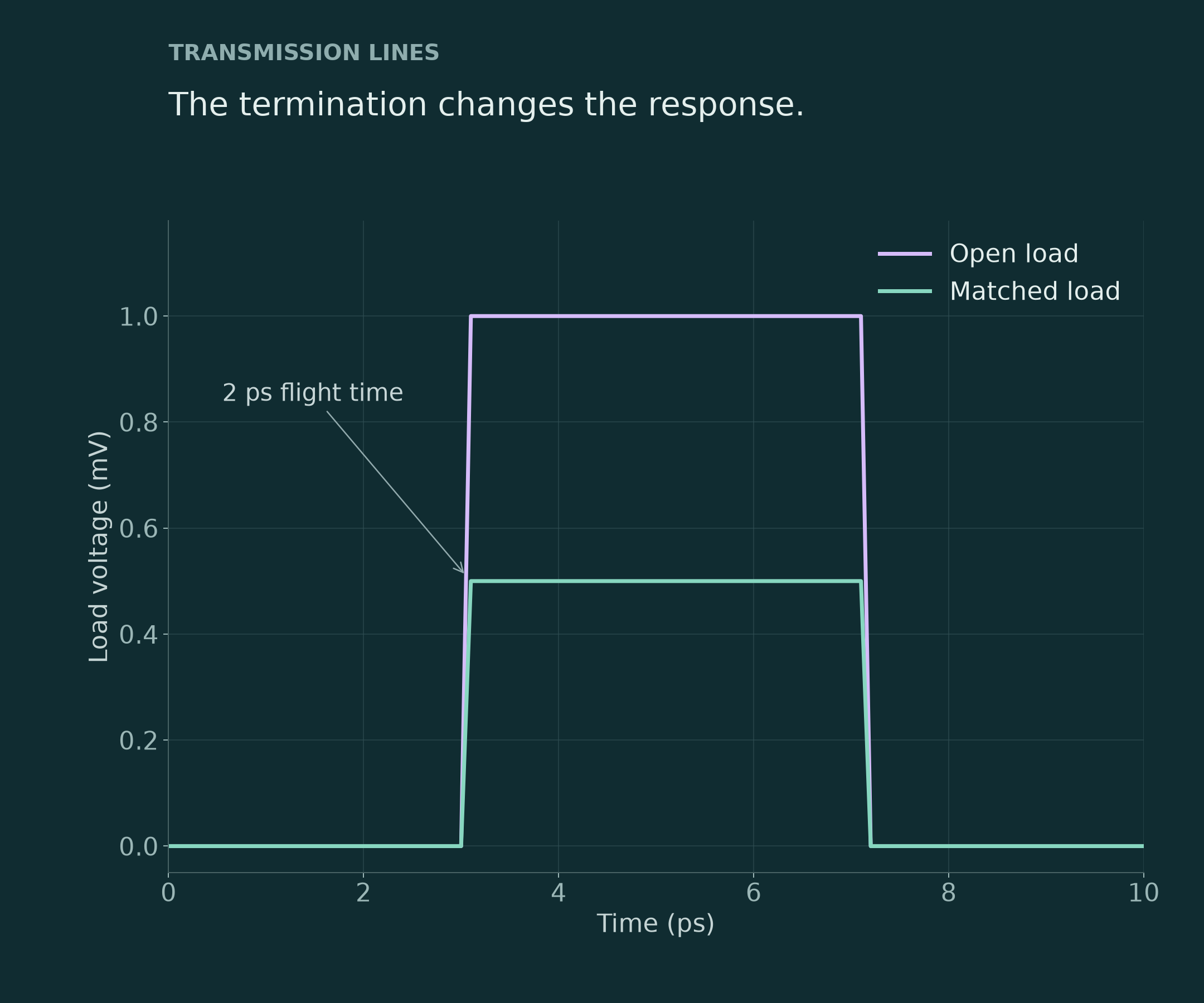
Actual simulated load voltage for matched and open generic transmission-line terminations, showing a two-picosecond flight time.

JoSIM-Pro · Matched and open loads on a generic 4 Ω lossless line. Actual simulated responses; not measured device data.
How does your circuit respond?

See how a circuit responds over time: switching events, signal propagation, bias choices and line terminations.

JoSIM-Pro connects Josephson-junction models with the wider network of sources, interconnects and loads.

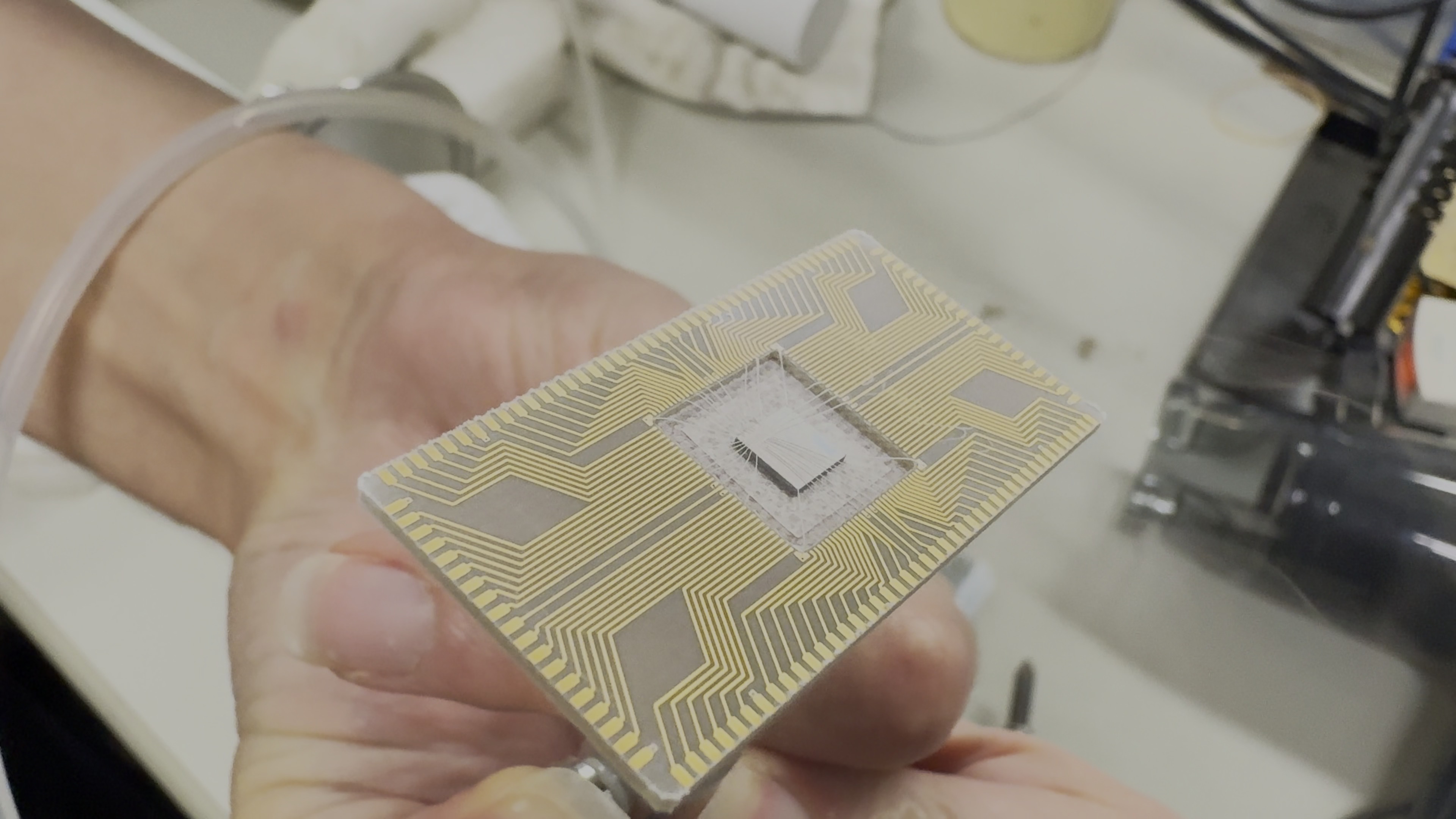
DGP chip on its carrier immediately after removal from liquid helium.

Bring us the design question.

Get scoped engineering help with modelling, simulation and parameter extraction. Tell us what you have and what you need to learn; we will discuss the appropriate work and outputs.

Start with the design question

  • Share your layout, process information or circuit question.

  • Agree the scope and expected deliverables before the analysis.

Look inside the work. Keep moving with the right resources.

Explore technical examples, product documentation and customer resources for the next step in your work.

Keep your work moving

  • Find the manual for your installed version.

  • Browse technical material or reach your customer downloads and support.

bottom of page